
How to Track AI Referral Traffic in GA4
Understanding how users arrive at your website is crucial for optimizing your digital strategy, and tracking AI referral traffic in GA4 is becoming an increasingly vital component of this analysis. As artificial intelligence tools like ChatGPT and Perplexity AI become more integrated into daily search and content consumption, their impact on website traffic patterns grows significantly. This article will guide you through the essential steps and best practices for identifying, segmenting, and analyzing traffic originating from these new AI-driven sources within Google Analytics 4, ensuring you can accurately measure their influence on your online presence.
Identifying AI Referral Sources in GA4
Identifying AI referral sources in GA4 involves scrutinizing your traffic acquisition reports for specific domain patterns associated with AI tools. AI referral traffic refers to website visits that originate from links clicked within AI applications, chatbots, or AI-powered search interfaces. Unlike traditional search engines, these sources often present unique referral domains or lack clear source attribution without specific configuration. To begin, navigate to your “Reports” section in GA4, then select “Acquisition” and “Traffic acquisition.” Here, you will primarily look at the “Session source / medium” or “Session source” dimensions. Keep an eye out for domains that are not typical search engines or social media platforms. For more insights, check out our guide on Digital Marketing Services.

Understanding Common AI Referral Domains
Several AI platforms are emerging as significant referrers. Understanding their typical domains is the first step in accurate identification. For instance, ChatGPT referral traffic GA4 might appear under domains such as `openai.com` or `chat.openai.com`, though sometimes it can be masked or indirect depending on the user’s interaction flow. Similarly, Perplexity traffic analytics would likely show `perplexity.ai` as a direct referrer. Other AI tools might use their brand domain or even generic proxy domains. It’s crucial to maintain an updated list of these potential referrers as the AI landscape evolves. Regularly reviewing your “Referrals” report under “Acquisition” > “Traffic acquisition” with a focus on “Session source” can help uncover new or unexpected AI-driven domains.
Leveraging Custom Definitions for AI Referrers
To streamline the identification of AI referral traffic in GA4, consider setting up custom definitions. This allows you to group various AI-related domains under a single, easily trackable category. For example, you could create a custom dimension for “AI Source” and populate it based on specific referrer URLs. This proactive approach simplifies reporting and ensures consistency. When you encounter a new AI referrer, you can add its domain to your existing custom definition, making future analysis more efficient. This method is particularly useful for distinguishing AI-generated traffic from other referral types, providing a clearer picture of its impact.
Segmenting and Filtering ChatGPT Referral Traffic GA4
Segmenting and filtering ChatGPT referral traffic GA4 allows you to isolate and analyze the behavior of users arriving from this specific AI platform, providing targeted insights into their engagement and conversion paths. By creating custom segments, you can focus on the unique characteristics of this audience. This process typically involves defining conditions based on the referrer domain. For example, you would filter for sessions where the “Session source” or “Referrer” dimension contains `chat.openai.com` or `openai.com`. This granular view helps you understand how content consumed via ChatGPT influences user journeys on your site. For more insights, check out our guide on Digital Marketing Services.
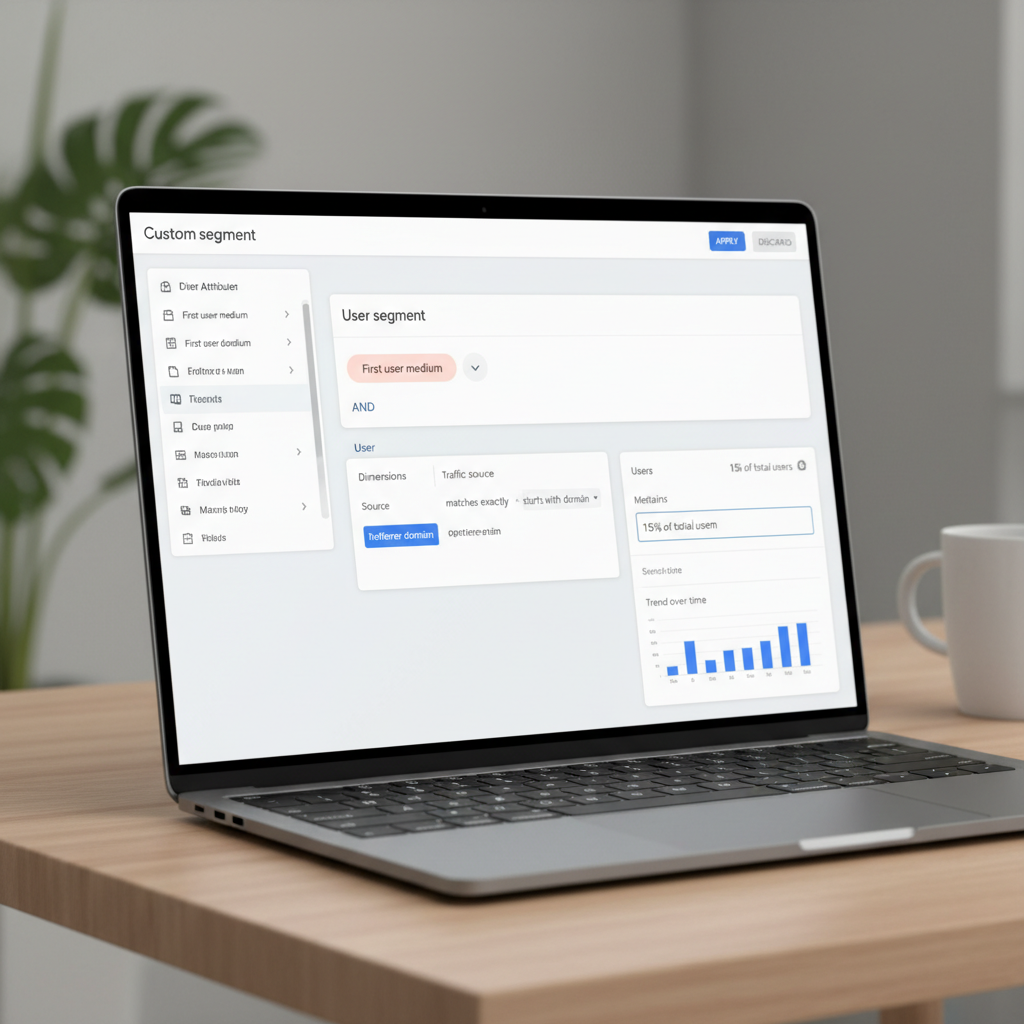
Creating Custom Segments for AI Referrers
To create a custom segment in GA4 for ChatGPT referral traffic GA4, navigate to “Explore” in the left-hand menu, then start a new “Free-form” exploration. In the “Segments” panel, click the plus icon to “Create a new segment,” choosing “Session segment.” Name your segment something descriptive like “ChatGPT Referrals.” Add a new condition where “Session source” matches a regular expression like `(openai\.com|chat\.openai\.com)`. You can add multiple domains to this regex to capture all potential ChatGPT referral traffic GA4 variations. Once saved, you can apply this segment to various reports and explorations to see how these users interact with your site. This segmentation is a fundamental step in building a comprehensive GA4 AI traffic dashboard.
Applying Filters to Standard Reports for AI Insights
Beyond custom segments, you can also apply filters directly to standard reports to quickly view AI referral traffic in GA4. In the “Traffic acquisition” report, for instance, you can use the search bar above the table to filter for specific domains. Type `openai.com` or `perplexity.ai` into the search box for the “Session source” column to instantly narrow down your data. While this offers a quick snapshot, custom segments provide more flexibility for deeper analysis across different reports and explorations. Combining both methods allows for both rapid checks and in-depth investigations into AI-driven user behavior.
Creating an AI Search Traffic Report for Deeper Insights
Creating an AI search traffic report in GA4 provides a consolidated view of all traffic originating from various AI-powered search and content generation platforms, offering deeper insights into their collective impact on your website. This report goes beyond individual AI tools, aiming to capture the broader trend of AI-driven discovery. It helps answer critical questions about which AI sources are most effective, what content they lead users to, and how those users engage once they arrive. A comprehensive AI search traffic report is essential for understanding the evolving landscape of digital discovery.
Building a Custom Report for AI Traffic
To build a custom AI search traffic report, leverage GA4’s “Explorations” feature. Start with a “Free-form” exploration and select relevant dimensions and metrics. Dimensions might include “Session source,” “Session medium,” “Referrer,” “Landing page,” and “Device category.” Metrics should cover “Sessions,” “Engaged sessions,” “Engagement rate,” “Conversions,” and “Total revenue” (if applicable). Apply a session segment that includes all identified AI referral sources. For example, your segment condition could be “Session source” matches regex `(openai\.com|chat\.openai\.com|perplexity\.ai|anotherai\.com)`. This approach allows you to group all AI traffic for a holistic view. Such a report is a cornerstone for any effective GA4 AI traffic dashboard.
Analyzing User Behavior from AI Search
Once your AI search traffic report is configured, analyze the user behavior patterns specific to this segment. Look at the “Landing page” dimension to understand which content AI tools are surfacing most frequently. Examine “Engagement rate” and “Conversions” to gauge the quality of this traffic. Do users from AI sources engage more deeply or convert at higher rates compared to traditional organic search? This analysis can reveal opportunities for content optimization tailored specifically for AI consumption. For instance, if users from Perplexity traffic analytics consistently land on your blog posts about complex technical topics and show high engagement, it suggests that your detailed, authoritative content resonates well within that AI environment. Understanding these nuances is key to refining your overall digital marketing strategy. Many businesses find that leveraging advanced analytics like these, often through expert Digital Marketing Services, can significantly improve their strategic outcomes.
Building a GA4 AI Traffic Dashboard for At-a-Glance Monitoring
Building a GA4 AI traffic dashboard provides a centralized, at-a-glance view of your website’s performance from all identified AI referral sources, enabling quick monitoring and informed decision-making. This dashboard consolidates key metrics and reports into a single interface, eliminating the need to navigate through multiple sections of GA4. It serves as a vital tool for stakeholders who need to quickly grasp the impact of AI on traffic, engagement, and conversions without delving into granular data. A well-designed dashboard can highlight trends, identify anomalies, and provide actionable insights efficiently. For more insights, check out our guide on Digital Marketing Services.
Dashboard Components for AI Traffic
A robust GA4 AI traffic dashboard should include several key components to provide a comprehensive overview. Consider incorporating widgets that display:
* Total AI Sessions: A simple number card showing the total sessions from AI sources.
* AI Traffic by Source: A bar chart or pie chart breaking down sessions by individual AI platforms (e.g., ChatGPT, Perplexity).
* AI Landing Pages: A table listing the top landing pages for AI traffic, along with engagement metrics.
* AI Engagement Rate: A scorecard showing the average engagement rate for AI-referred users.
* AI Conversions: A chart or number card tracking conversions specifically attributed to AI traffic.
* Geographic Distribution of AI Users: A geo map to understand where AI-referred users are located.
These components offer a balanced view of both volume and quality for your AI referral traffic in GA4.
Customizing Your GA4 Reports for Dashboard Integration
To create your GA4 AI traffic dashboard, you’ll primarily use the “Explorations” feature to build custom reports, which can then be shared or exported. While GA4 doesn’t have a direct “dashboard” feature like Universal Analytics, you can create multiple “Explorations” and save them, effectively creating a collection of reports that serve as your dashboard. Alternatively, you can export data to tools like Google Looker Studio (formerly Google Data Studio) to build a truly dynamic and interactive dashboard. This allows for greater customization, combining data from GA4 with other sources if needed. For example, you might compare Perplexity traffic analytics alongside ChatGPT referral traffic GA4 in a single visualization to understand their relative contributions.
Analyzing Perplexity Traffic Analytics and Other AI Referrers
Analyzing Perplexity traffic analytics and other emerging AI referrers is crucial for a complete understanding of your website’s AI-driven audience, as each platform may drive unique user behavior and content preferences. While ChatGPT often functions as a conversational interface, Perplexity AI positions itself as an answer engine, directly citing sources. This fundamental difference can lead to distinct user journeys and engagement patterns on your site. Therefore, treating all AI traffic as monolithic would be a missed opportunity for granular optimization.
Deep Dive into Perplexity AI User Behavior
When examining Perplexity traffic analytics, pay close attention to the “Landing page” report within your custom AI segment. Users coming from Perplexity AI are often seeking specific answers or deeper dives into cited information. This means they might land directly on highly specific blog posts, research articles, or product pages that were referenced in a Perplexity AI answer.
Consider the following aspects for Perplexity AI users:
* Content Preference: Are they gravitating towards long-form content, data-rich articles, or specific product specifications?
* Engagement Metrics: Do they have higher engagement rates, lower bounce rates, or spend more time on pages compared to other AI sources?
* Conversion Paths: Are they more likely to complete a specific conversion, such as downloading a whitepaper or requesting a demo, because they are further along in their information-gathering process?
This detailed analysis helps refine content strategies to better serve this informed audience.
Comparing Different AI Referral Sources
A comparative analysis of various AI referral sources, such as ChatGPT referral traffic GA4 versus Perplexity traffic analytics, can reveal important distinctions. Create a table to easily compare key metrics:
| Metric | ChatGPT Referrals | Perplexity Referrals | Other AI Referrals |
|---|---|---|---|
| Sessions | [Value] | [Value] | [Value] |
| Engagement Rate | [Value]% | [Value]% | [Value]% |
| Average Engagement Time | [Value] sec | [Value] sec | [Value] sec |
| Conversions | [Value] | [Value] | [Value] |
| Top Landing Pages | Page A, Page B | Page C, Page D | Page E, Page F |
This comparison helps identify which AI platforms are sending the most qualified traffic and which content resonates most effectively with each. For instance, if ChatGPT referral traffic GA4 shows higher engagement on introductory content, while Perplexity users gravitate towards in-depth guides, you can tailor your content distribution and optimization efforts accordingly.
Leveraging AI Traffic Data for Content Strategy and SEO
Leveraging AI traffic data is paramount for refining your content strategy and optimizing your SEO efforts to capture more visibility within AI-driven search environments. The insights gained from tracking AI referral traffic in GA4 can directly inform what type of content to create, how to structure it, and what keywords to target to appeal to both human users and AI models. This proactive approach ensures your content is discoverable and valuable in the evolving digital landscape. Understanding how AI tools interpret and present information is key to successful optimization.
Optimizing Content for AI Discoverability
To optimize content for AI discoverability, focus on clarity, authority, and structured data. AI models excel at extracting specific answers from well-organized content. This means:
1. Direct Answers: Start paragraphs, especially H2 and H3 sections, with direct, concise answers to potential questions. This mirrors the “featured snippet” approach in traditional search.
2. Structured Data (Schema Markup): Implement relevant schema markup (e.g., FAQ schema, HowTo schema, Article schema) to explicitly tell AI models what your content is about and highlight key information.
3. Comprehensive Coverage: Provide in-depth, authoritative information on a topic, addressing common questions and related sub-topics. AI tools often synthesize information from multiple sources.
4. Clear Headings and Subheadings: Use descriptive H2s and H3s that clearly outline the content structure and signal the topic of each section. This helps AI models understand the hierarchy and relevance of information.
By applying these principles, you can enhance your content’s chances of being selected and cited by AI tools, driving more AI referral traffic in GA4.
Adapting SEO Strategies for AI Search
Adapting SEO strategies for AI search involves a shift from purely keyword-matching to concept-matching and intent understanding. While keywords remain important, the emphasis moves towards answering complex queries comprehensively. This means:
* Natural Language Optimization: Write content that naturally answers questions, using conversational language that mirrors how users interact with AI assistants.
* Entity-Based SEO: Focus on building authority around specific entities (people, places, things, concepts) relevant to your niche. AI models understand relationships between entities.
* Semantic SEO: Create content that covers a topic broadly and deeply, demonstrating expertise and providing a rich context for AI models to draw upon.
* Monitoring AI Search Traffic Report: Regularly review your AI search traffic report to identify trending topics or gaps in your content that AI users are seeking. If you notice a surge in Perplexity traffic analytics for a particular product feature, consider creating more detailed content around it.
By integrating these insights, you can effectively position your website to capture a growing share of AI-driven traffic.
What is AI referral traffic in GA4?
AI referral traffic in GA4 refers to website visits originating from links clicked within artificial intelligence applications, chatbots, or AI-powered search interfaces. These sources include platforms like ChatGPT, Perplexity AI, and other emerging AI tools that direct users to external websites. Identifying and tracking this traffic helps businesses understand the impact of AI on their digital presence.
How do I find ChatGPT referral traffic in GA4?
To find ChatGPT referral traffic in GA4, navigate to “Reports” > “Acquisition” > “Traffic acquisition.” Look for “Session source / medium” or “Session source” dimensions that include domains like `openai.com` or `chat.openai.com`. You can also create a custom segment with a condition for “Session source” matching these domains for more focused analysis.
Can I create a dedicated AI traffic dashboard in GA4?
While GA4 doesn’t have a direct “dashboard” feature like Universal Analytics, you can effectively create a GA4 AI traffic dashboard using “Explorations.” Build custom reports with relevant dimensions and metrics, apply AI-specific segments, and save them. For more advanced dashboards, consider exporting your GA4 data to Google Looker Studio for greater customization and interactivity.
Why is it important to track Perplexity traffic analytics?
Tracking Perplexity traffic analytics is important because Perplexity AI functions as an answer engine that often cites specific sources, potentially driving highly qualified traffic to your website. Analyzing this traffic helps you understand what content Perplexity users are seeking, how they engage, and their conversion potential, allowing for tailored content and SEO strategies.
How does AI traffic differ from traditional organic search traffic?
AI traffic can differ from traditional organic search traffic in user intent and referral patterns. Users from AI tools might have more specific questions already refined by the AI, leading to direct landings on highly relevant content. The referral domains are also distinct, requiring specific identification and segmentation within GA4 to differentiate them from standard search engine traffic.
What are the key metrics to monitor in an AI search traffic report?
When reviewing an AI search traffic report, key metrics to monitor include sessions, engaged sessions, engagement rate, average engagement time, conversions, and top landing pages. These metrics help assess the volume, quality, and effectiveness of traffic originating from AI sources. Analyzing them provides insights into user behavior and content performance for this unique audience.
Understanding and effectively tracking AI referral traffic in GA4 is no longer optional; it’s a strategic imperative for any business seeking to maintain a competitive edge in the digital realm. By diligently identifying, segmenting, and analyzing traffic from platforms like ChatGPT and Perplexity AI, you gain invaluable insights into a rapidly growing user base.
Key takeaways for mastering AI traffic analytics:
* Proactive Identification: Regularly scan your GA4 reports for new AI referral domains and create custom definitions to group them effectively.
* Granular Segmentation: Utilize custom segments to isolate and analyze specific AI traffic sources, understanding their unique user behaviors.
* Dedicated Reporting: Build custom explorations and dashboards to get an at-a-glance view of your AI search traffic report and monitor key performance indicators.
* Content Optimization: Leverage insights from AI traffic data to refine your content strategy, focusing on clarity, direct answers, and structured data for AI discoverability.
* Strategic Adaptation: Evolve your SEO strategies to embrace natural language processing, entity-based optimization, and semantic relevance to appeal to AI models.
Embracing these analytical practices will empower you to not only measure but also strategically influence your presence within the AI-driven digital ecosystem. Start optimizing your GA4 setup today to unlock the full potential of your AI-referred audience.