
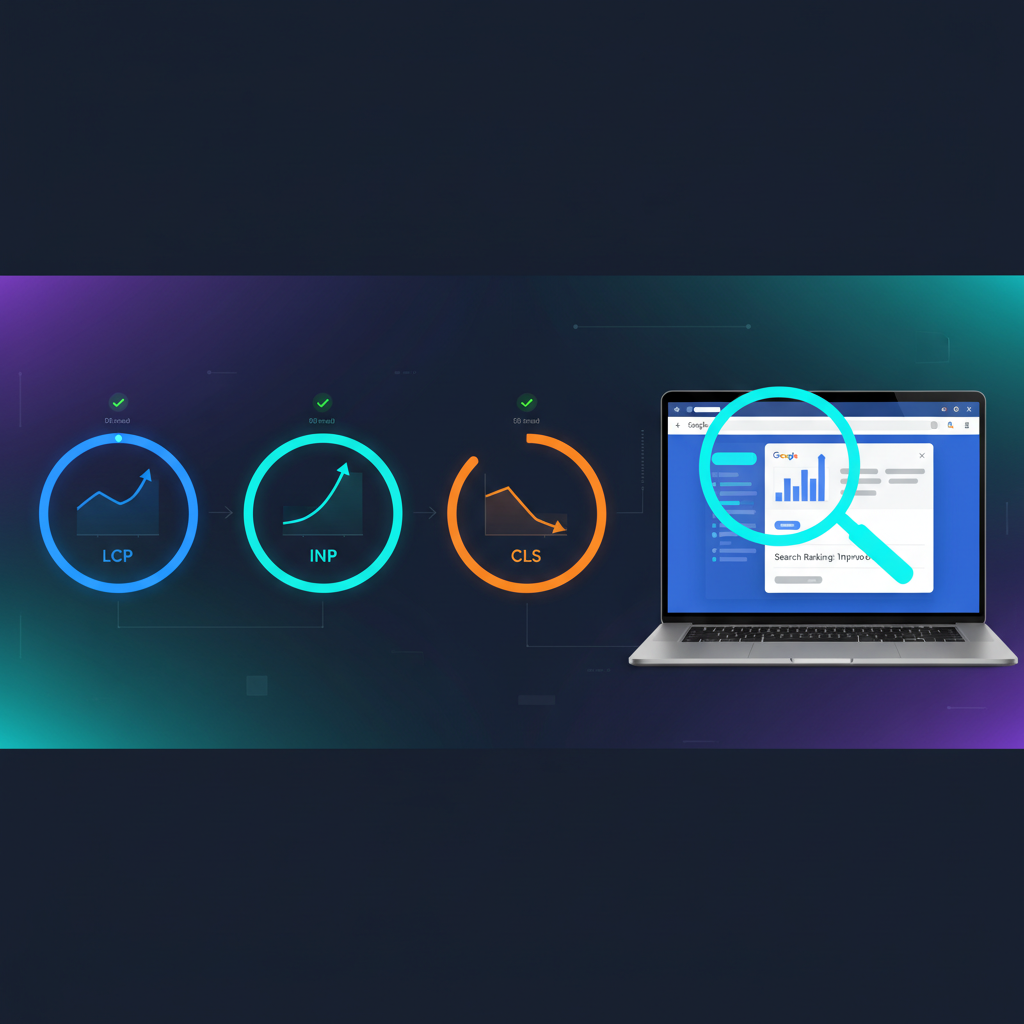
Core Web Vitals Optimization Strategy For Higher Google Rankings
A robust Core Web Vitals optimization strategy is essential for securing and maintaining top positions in search engine results. These metrics, which measure user experience aspects like loading speed, interactivity, and visual stability, are critical ranking factors for Google. Understanding and improving your Core Web Vitals (CWV) can significantly enhance user satisfaction, reduce bounce rates, and ultimately drive better organic traffic to your website. This article will provide a comprehensive guide to optimizing your CWV for higher Google rankings, ensuring your site is prepared for the evolving demands of search algorithms and user expectations.
Understanding Core Web Vitals Metrics for SEO
Core Web Vitals are a set of specific factors that Google considers important in a webpage’s overall user experience. These metrics quantify key aspects of the user experience, including loading performance, interactivity, and visual stability, directly influencing search engine optimization (SEO) performance. Google uses these signals to assess page experience, impacting how content ranks in search results. For more insights, check out our guide on Digital Marketing Services.
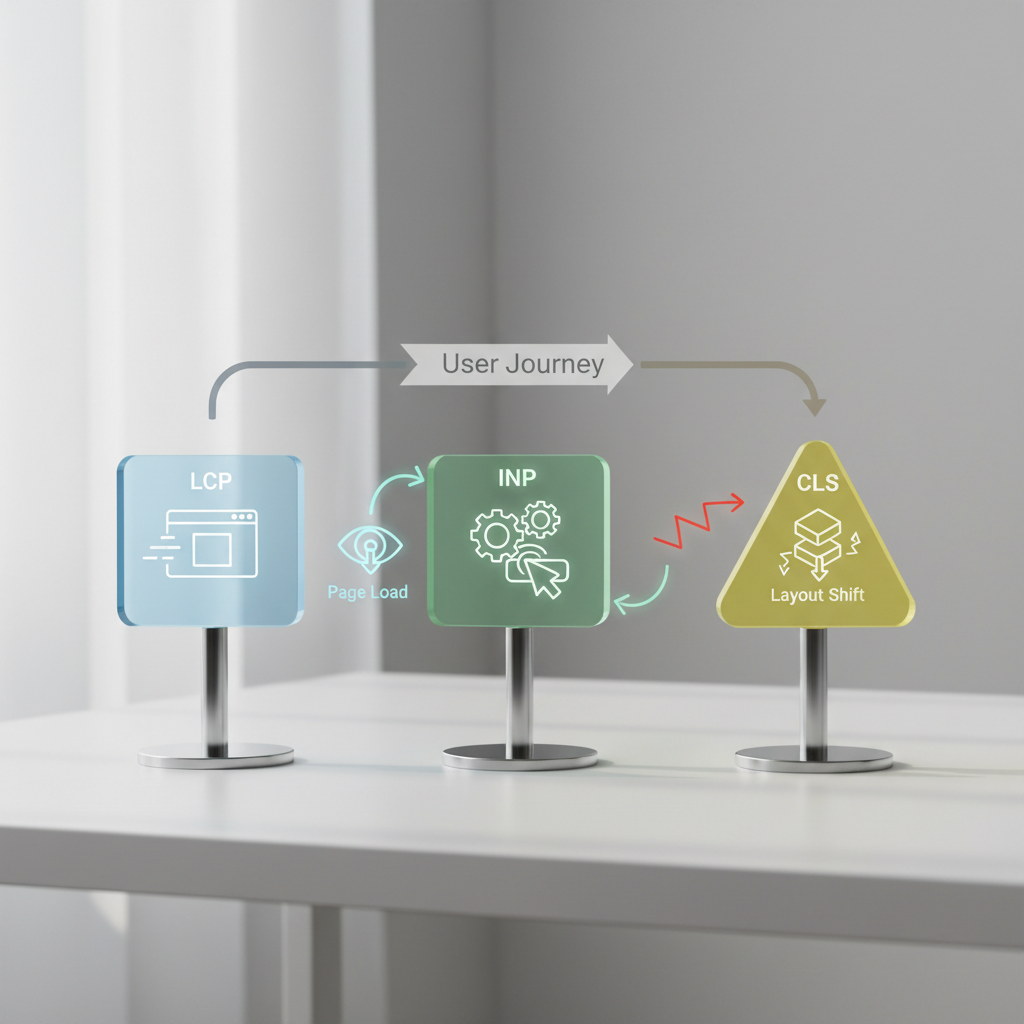
The three primary Core Web Vitals are Largest Contentful Paint (LCP), Interaction to Next Paint (INP), and Cumulative Layout Shift (CLS). LCP measures the time it takes for the largest content element on the page to become visible, ideally under 2.5 seconds. INP assesses a page’s overall responsiveness to user interactions, aiming for a response time of 200 milliseconds or less. CLS quantifies unexpected visual shifts of page content, with a good score being 0.1 or less. Optimizing these metrics ensures a smoother, more enjoyable user journey.
What is Largest Contentful Paint (LCP) and how does it affect rankings?
Largest Contentful Paint (LCP) measures the loading performance of a webpage by reporting the render time of the largest image or text block visible within the viewport. A fast LCP score indicates that users can see the main content of your page quickly, which directly contributes to a positive first impression. Google prioritizes pages with excellent LCP scores because they offer a superior user experience. Slow LCP can lead to higher bounce rates and negatively impact your search rankings. Improving LCP involves optimizing images, reducing server response times, and implementing lazy loading for offscreen content.
Defining Interaction to Next Paint (INP) for website responsiveness
Interaction to Next Paint (INP) is a Core Web Vital that measures a page’s overall responsiveness to user interactions. It assesses the latency of all interactions made by a user with a page, such as clicks, taps, and keyboard inputs, and reports a single, representative value. A good INP score means that your website responds quickly to user input, providing immediate feedback and a seamless interactive experience. This metric is crucial for dynamic websites and applications where user engagement is key. Optimizing INP often involves reducing JavaScript execution time, breaking up long tasks, and ensuring efficient event handling.
Understanding Cumulative Layout Shift (CLS) for visual stability
Cumulative Layout Shift (CLS) measures the sum of all individual layout shift scores for every unexpected layout shift that occurs during the entire lifespan of the page. An unexpected layout shift happens when a visible element changes its starting position from one rendered frame to the next. A low CLS score indicates that your page content remains visually stable as it loads, preventing frustrating experiences for users. For instance, if a button moves just as a user is about to click it, that’s a poor CLS experience. Common causes include images without dimensions, dynamically injected content, and web fonts causing FOIT/FOUT.
How to Improve LCP, INP, and CLS Scores for Enhanced SEO Performance
Improving LCP, INP, and CLS scores for SEO performance involves a multi-faceted approach focusing on server optimization, resource loading, and visual stability. By addressing these core areas, websites can deliver a faster, more responsive, and visually stable experience, which Google rewards with higher rankings. Prioritizing these optimizations is crucial for any site aiming for competitive search visibility. For more insights, check out our guide on Digital Marketing Services.

To effectively enhance these metrics, start with a thorough audit of your current performance using tools like PageSpeed Insights or Lighthouse. These tools provide actionable recommendations specific to your website’s issues. Addressing these recommendations systematically will yield the most significant improvements. Remember that continuous monitoring and iterative optimization are key to maintaining excellent Core Web Vitals scores.
Strategies for reducing Largest Contentful Paint (LCP) time
Reducing LCP time is paramount for quick content delivery. One primary strategy is optimizing your server response time (TTFB – Time to First Byte). This can be achieved through efficient hosting, content delivery networks (CDNs), and server-side caching. Image optimization is another critical factor; ensure images are correctly sized, compressed, and use modern formats like WebP. Lazy loading images and videos that are not immediately in the viewport can also dramatically improve LCP. Preloading critical resources and minifying CSS and JavaScript further contribute to faster rendering of the largest content element.
Techniques to boost Interaction to Next Paint (INP) responsiveness
Boosting INP responsiveness requires minimizing the time your browser spends executing JavaScript. Long JavaScript tasks can block the main thread, delaying user interaction. Breaking up these long tasks into smaller, asynchronous chunks allows the browser to remain responsive. Deferring non-critical JavaScript and using web workers can offload heavy processing from the main thread. Efficient event listeners that don’t block the main thread are also vital. Regularly auditing third-party scripts is essential, as they often contribute significantly to INP issues. Prioritizing user-facing interactions over background tasks ensures a snappier experience.
Fixing Cumulative Layout Shift (CLS) issues for visual stability
Fixing CLS issues ensures a visually stable page load, preventing unexpected content shifts. The most common cause of CLS is images or videos without explicit width and height attributes. Always include these dimensions to reserve space in the layout. Similarly, ads, embeds, and iframes should have reserved space or be styled to prevent content shifting. Dynamically injected content should ideally be placed below existing content or have its space reserved. Using `font-display: optional` or preloading critical fonts can mitigate layout shifts caused by font loading. Animations should use CSS transforms rather than properties that trigger layout changes.
Core Web Vitals Impact on AI Overview Citation Ranking
Core Web Vitals significantly influence a website’s eligibility and ranking within Google’s AI Overview, particularly for citation placement. As AI-driven search results become more prevalent, pages with superior user experience metrics are more likely to be deemed authoritative and reliable sources. A strong Core Web Vitals performance signals to AI systems that the content is delivered efficiently and stably, making it a prime candidate for direct citations. For more insights, check out our guide on Digital Marketing Services.
Google’s AI Overview aims to provide concise, direct answers, often pulling information directly from highly ranked and trustworthy sources. Websites that consistently deliver excellent LCP, INP, and CLS scores are inherently more trustworthy in Google’s ecosystem. This trust extends to its AI models, increasing the probability of your content being selected for direct answers or prominent citations. Therefore, optimizing Core Web Vitals is not just about traditional SEO but also about future-proofing your content for AI-powered search.
How page experience influences AI-generated summaries
Page experience, heavily influenced by Core Web Vitals, plays a crucial role in how AI-generated summaries are formulated and cited. AI models are trained on vast datasets, and part of their evaluation includes the quality of the source page. A fast-loading, interactive, and visually stable page is perceived as a higher-quality source. When Google’s AI generates summaries, it prioritizes information from pages that offer an optimal user experience. This means better CWV scores can lead to your content being more frequently chosen and cited in AI Overviews, directly impacting your visibility in these new search formats.
Strategies for enhancing content visibility in AI Overviews
To enhance content visibility in AI Overviews, beyond just strong Core Web Vitals, focus on clear, concise, and authoritative content. Structure your articles with clear headings and direct answers to common questions. This makes it easier for AI models to extract relevant information. Additionally, ensure your content is factually accurate and regularly updated. Combining excellent CWV with high-quality, well-structured content creates a powerful signal for AI systems. This dual approach maximizes your chances of being featured and cited, driving traffic from these emerging search features.
Measuring Core Web Vitals success for AI content ranking
Measuring Core Web Vitals success for AI content ranking involves monitoring your CWV scores alongside your organic search performance. Tools like Google Search Console provide detailed reports on your CWV performance. Look for improvements in LCP, INP, and CLS, and then observe if these improvements correlate with increased visibility or citation in AI Overviews. While direct metrics for AI citation ranking are still evolving, a consistent upward trend in your CWV scores is a strong indicator of improved eligibility. Regular audits and continuous optimization are essential for sustained success in this evolving landscape.
WordPress Core Web Vitals Optimization Guide for Marketing Sites
Optimizing Core Web Vitals for WordPress marketing sites requires a targeted approach, given the platform’s common dependencies on themes, plugins, and media. A well-optimized WordPress site will load quickly, respond instantly, and maintain visual stability, directly translating to better user engagement and higher search rankings. This guide provides actionable steps specifically tailored for WordPress environments.
WordPress, powering a significant portion of the web, often faces performance challenges due to its flexibility. Overuse of unoptimized plugins, heavy themes, and large media files are common culprits for poor CWV scores. Addressing these specific issues systematically is key to transforming a sluggish marketing site into a high-performing asset. Many of the techniques discussed can also be found in comprehensive Digital Marketing Services that focus on web performance.
Essential plugins and tools for WordPress CWV improvement
Several WordPress plugins and tools are indispensable for CWV improvement. Caching plugins like WP Rocket or LiteSpeed Cache are crucial for reducing server response times and improving LCP. Image optimization plugins such as Smush or Imagify automatically compress and convert images to modern formats, directly impacting LCP. For more granular control over script optimization, Asset CleanUp or Perfmatters can help defer or remove unnecessary CSS and JavaScript, which significantly aids INP. Regularly using Google PageSpeed Insights and Lighthouse will provide ongoing diagnostics.
Optimizing themes and plugins for better LCP, INP, CLS
Optimizing themes and plugins is fundamental for better LCP, INP, and CLS scores. Choose lightweight, performance-optimized themes rather than feature-heavy ones. Audit your installed plugins and remove any that are not essential or are known to be resource-intensive. For necessary plugins, ensure they are updated to their latest versions, as developers often include performance enhancements. Configure caching plugins correctly to minify CSS/JS, lazy load media, and optimize database queries. Deferring or asynchronously loading JavaScript from plugins can prevent blocking the main thread, improving INP.
Best practices for media and asset delivery on WordPress
Best practices for media and asset delivery on WordPress are critical for CWV. Always compress images before uploading them, and use responsive image sizes to serve appropriate dimensions for different devices. Implement lazy loading for all images and videos below the fold. Consider using a CDN to deliver static assets like images, CSS, and JavaScript from servers geographically closer to your users, reducing latency and improving LCP. For fonts, preload critical web fonts and use `font-display: swap` or `optional` to prevent layout shifts. Minify all CSS and JavaScript files to reduce their size and parse time.
Core Web Vitals Audit and Fix Checklist for Ecommerce Stores
A robust Core Web Vitals audit and fix checklist is indispensable for ecommerce stores, where site speed and user experience directly correlate with conversion rates and revenue. Slow loading times, unresponsive interfaces, and visual instability can lead to abandoned carts and lost sales. Systematically addressing CWV issues ensures a smooth shopping journey, which Google rewards with higher visibility.
Ecommerce sites often grapple with unique performance challenges due to numerous product images, complex scripts for dynamic features, and third-party integrations like payment gateways and analytics. Each of these elements can impact LCP, INP, and CLS. A structured audit and fix plan is crucial to identify and resolve these bottlenecks, transforming a potentially frustrating shopping experience into an efficient and enjoyable one.
Conducting a comprehensive Core Web Vitals audit for ecommerce
Conducting a comprehensive Core Web Vitals audit for ecommerce involves a multi-tool approach. Start with Google PageSpeed Insights and Lighthouse for an initial performance snapshot and actionable recommendations. Utilize Google Search Console’s Core Web Vitals report to identify specific URLs with poor scores. For real user data, integrate Google Analytics with tools that track actual user experiences (CrUX data). Focus on key pages like product listings, product detail pages, and the checkout funnel, as these are critical for conversions. Identify the largest contentful elements, long-running scripts, and any layout shifts.
Common Core Web Vitals issues in ecommerce and their solutions
Ecommerce sites frequently encounter specific Core Web Vitals issues.
* Large LCP: Often caused by unoptimized product images, hero banners, or slow server response times.
Solution:* Compress and resize images, use modern formats (WebP), implement lazy loading, upgrade hosting, and use a CDN.
* Poor INP: Typically due to heavy JavaScript from product filters, interactive elements, or third-party scripts.
Solution:* Defer non-critical JavaScript, break up long tasks, optimize third-party scripts, and ensure efficient event handling.
* High CLS: Commonly results from dynamically loaded ads, product recommendation widgets, or images without specified dimensions.
Solution:* Reserve space for ads/embeds, specify image dimensions, and avoid injecting content above existing elements without proper space allocation.
| Core Web Vital | Common Ecommerce Issue | Effective Solution |
|---|---|---|
| LCP | Large product images, slow server | Image compression, CDN, faster hosting |
| INP | Heavy JavaScript from filters/widgets | Defer JS, optimize third-party scripts |
| CLS | Dynamic ads, images without dimensions | Reserve space, specify dimensions |
Post-audit strategies for continuous Core Web Vitals improvement
Post-audit strategies for continuous Core Web Vitals improvement are vital for sustained performance. Implement a regular monitoring schedule using tools like Google Search Console and Lighthouse. Set up alerts for any significant drops in CWV scores. Continuously optimize new product images and content as they are added. Regularly review and update plugins and themes, ensuring they remain performance-friendly. Test any major site changes in a staging environment before deploying to production. Educate your team on the importance of CWV during content creation and development workflows to embed performance into your operational DNA.
Advanced Core Web Vitals Techniques for Sustained Performance Gains
Achieving sustained performance gains in Core Web Vitals requires moving beyond basic optimizations and implementing advanced techniques. These strategies delve deeper into resource prioritization, rendering pathways, and server-side enhancements to squeeze out every possible millisecond of improvement. For websites aiming for top-tier performance, these advanced methods are indispensable.
Basic optimizations lay the groundwork, but truly exceptional Core Web Vitals scores often depend on a more nuanced understanding of how browsers render pages and interact with server resources. This includes leveraging modern web technologies and carefully orchestrating the loading process. Implementing these advanced techniques ensures your site remains competitive in a rapidly evolving digital landscape.
Leveraging critical CSS and resource hints for faster rendering
Leveraging critical CSS and resource hints is a powerful technique for faster rendering. Critical CSS involves extracting the minimum amount of CSS required to render the content above the fold and inlining it directly into the HTML. This prevents render-blocking CSS files from delaying the initial page display, significantly improving LCP. Resource hints like `preload`, `preconnect`, and `prefetch` instruct the browser to perform early fetches or establish connections, making crucial resources available sooner. Preloading fonts or key images, for example, can prevent layout shifts and improve LCP.
Implementing server-side rendering (SSR) or static site generation (SSG)
Implementing Server-Side Rendering (SSR) or Static Site Generation (SSG) can dramatically improve Core Web Vitals, especially LCP and INP. SSR renders the initial HTML on the server, sending a fully formed page to the browser. This means the user sees content much faster, improving LCP, and the page becomes interactive sooner. SSG takes this a step further by pre-rendering all pages at build time, serving static HTML files that are incredibly fast to load. Both methods reduce the amount of JavaScript the client-side needs to execute initially, leading to better INP and a more robust user experience.
Optimizing third-party scripts and external resources for CWV
Optimizing third-party scripts and external resources is crucial, as they often contribute significantly to poor CWV scores. Audit all third-party scripts (analytics, ads, social widgets) and remove any that are not essential. For necessary scripts, load them asynchronously or defer their execution until after the main content has loaded. Consider self-hosting critical third-party scripts if their CDN is slow. Use resource hints like `preconnect` to establish early connections to third-party domains. If possible, explore alternatives to heavy third-party solutions that offer similar functionality with less performance overhead.
What are the current “good” thresholds for Core Web Vitals metrics?
For Largest Contentful Paint (LCP), a good score is 2.5 seconds or less. For Interaction to Next Paint (INP), the target is 200 milliseconds or less. Cumulative Layout Shift (CLS) should be 0.1 or less. Meeting these thresholds indicates a good user experience according to Google’s standards.
How often should I check my Core Web Vitals scores?
You should regularly monitor your Core Web Vitals scores, ideally weekly or bi-weekly, using tools like Google Search Console and PageSpeed Insights. Significant website updates or new content additions should always be followed by a CWV check. Continuous monitoring helps catch issues early and maintain performance.
Does Core Web Vitals affect local SEO rankings?
Yes, Core Web Vitals can indirectly affect local SEO rankings. While not a direct local ranking factor, a better overall page experience (driven by good CWV) can improve organic visibility, which in turn supports local search efforts. Faster loading and more stable pages lead to better engagement, a positive signal for all search types.
Can a content delivery network (CDN) improve Core Web Vitals?
Absolutely. A CDN can significantly improve Core Web Vitals, particularly LCP, by serving static assets like images, CSS, and JavaScript from servers geographically closer to your users. This reduces latency and speeds up resource delivery, making the page load faster and improving the overall user experience.
Is it possible to have good Core Web Vitals but still rank poorly?
Yes, it is possible. Core Web Vitals are a crucial ranking factor, but they are not the only one. High-quality, relevant content, strong backlinks, technical SEO, and mobile-friendliness also play significant roles. CWV ensures a good user experience, but your content must still meet user intent and provide value to rank well.
How does Core Web Vitals optimization help with mobile users?
Core Web Vitals optimization is especially beneficial for mobile users. Mobile devices often have slower internet connections and less processing power. Optimizing LCP, INP, and CLS ensures that pages load quickly, are responsive, and remain visually stable even on mobile, providing a superior experience for a crucial segment of your audience.
Optimizing Core Web Vitals is no longer an optional task but a fundamental requirement for achieving and sustaining high Google rankings. By focusing on improving Largest Contentful Paint (LCP), Interaction to Next Paint (INP), and Cumulative Layout Shift (CLS), websites can deliver superior user experiences that search engines actively reward.
Key takeaways for a successful Core Web Vitals strategy include:
* Prioritize user experience: Fast loading, responsiveness, and visual stability are paramount.
* Regularly audit and monitor: Utilize tools like PageSpeed Insights and Search Console for continuous performance tracking.
* Address specific metrics: Implement targeted strategies for LCP (image optimization, server response), INP (JavaScript reduction, efficient event handling), and CLS (dimension attributes, reserved space).
* Tailor for platforms: Apply specific optimization techniques for WordPress or ecommerce platforms.
* Future-proof for AI: Understand how CWV impacts AI Overview citation ranking and content visibility.
Embracing a proactive Core Web Vitals optimization strategy will not only boost your search engine performance but also create a more engaging and satisfying experience for your audience. Start your optimization journey today to unlock higher rankings and better user satisfaction.