

Optimizing robots.txt for AI Crawlers and SEO
The `robots.txt` file is a fundamental component of website management, especially when considering how search engines and emerging AI crawlers interact with your content. Understanding robots.txt for AI crawlers is now more critical than ever for maintaining control over what information AI models can access and how it might impact your site’s visibility and data privacy. This simple text file acts as a directive, guiding bots on which parts of your site they are permitted to crawl and index, offering a powerful mechanism for controlling your digital footprint in the age of artificial intelligence. Properly configuring this file can safeguard sensitive data, manage server load, and strategically influence your site’s presence across various AI-driven platforms.
Understanding AI Crawler Behavior and robots.txt Directives
AI crawlers, like traditional search engine bots, are automated programs that systematically browse the internet to discover and index content. These bots are distinct from traditional search engine crawlers primarily because their purpose often extends beyond mere indexing for search results; they frequently gather data to train large language models (LLMs) and other AI applications. The `robots.txt` file serves as a set of instructions for these bots, dictating which areas of a website they should or should not access. For more insights, check out our guide on Digital Marketing Services.

Understanding their behavior is crucial for effective robots.txt for AI crawlers management. While many AI bots adhere to these directives, some may not, making it essential to implement robust access control. A well-configured `robots.txt` can prevent AI models from scraping proprietary data or content that you wish to monetize exclusively. It helps in managing server resources by preventing unnecessary crawls of irrelevant or duplicate content.
What is a robots.txt file and how does it function for AI bots?
A `robots.txt` file is a plain text file located in the root directory of a website that communicates with web crawlers and other bots. It specifies which parts of the website the bot is allowed or disallowed to crawl. For AI bots, this file functions identically, providing instructions on permissible access. The directives within the file use `User-agent` rules to target specific bots or `*` for all bots, followed by `Disallow` or `Allow` paths.
Distinguishing between search engine crawlers and AI data scrapers
While both search engine crawlers (like Googlebot) and AI data scrapers are bots, their primary objectives differ significantly. Search engine crawlers aim to index content for search result rankings, providing users with relevant information. AI data scrapers, conversely, often collect vast amounts of data to train AI models, develop new features, or analyze market trends. This distinction is vital for website owners deciding which bots to allow and which to restrict. Controlling access ensures your data is used as intended.
Common directives for managing AI crawler access
Several common directives can be used within your `robots.txt` file to manage AI bot crawl control. The `User-agent` directive identifies the specific bot or group of bots you are addressing. For instance, `User-agent: GPTBot` targets OpenAI’s crawler. The `Disallow` directive prevents a bot from accessing a specified path or directory. Conversely, the `Allow` directive can be used to grant access to a subdirectory within an otherwise disallowed directory.
* User-agent: Identifies the specific bot (e.g., `User-agent: GPTBot`).
* Disallow: Prevents access to specified URLs or directories (e.g., `Disallow: /private/`).
* Allow: Permits access to specific files or subdirectories within a disallowed directory (e.g., `Allow: /private/public-data.html`).
* Crawl-delay: Suggests a delay between consecutive requests to reduce server load, though not all bots honor this.
These directives provide granular control over how different AI entities interact with your website, enabling you to tailor access permissions precisely.
How to Conduct an AI Crawler Access Audit for Your Website
Conducting an AI crawler access audit is essential for understanding which AI bots are visiting your site and what content they are accessing. This audit helps you identify potential vulnerabilities, ensure compliance with data usage policies, and optimize your `robots.txt` for specific AI entities. By regularly reviewing your server logs and `robots.txt` file, you can maintain proactive AI bot crawl control. This process involves monitoring bot activity, analyzing access patterns, and refining your directives to align with your content strategy.
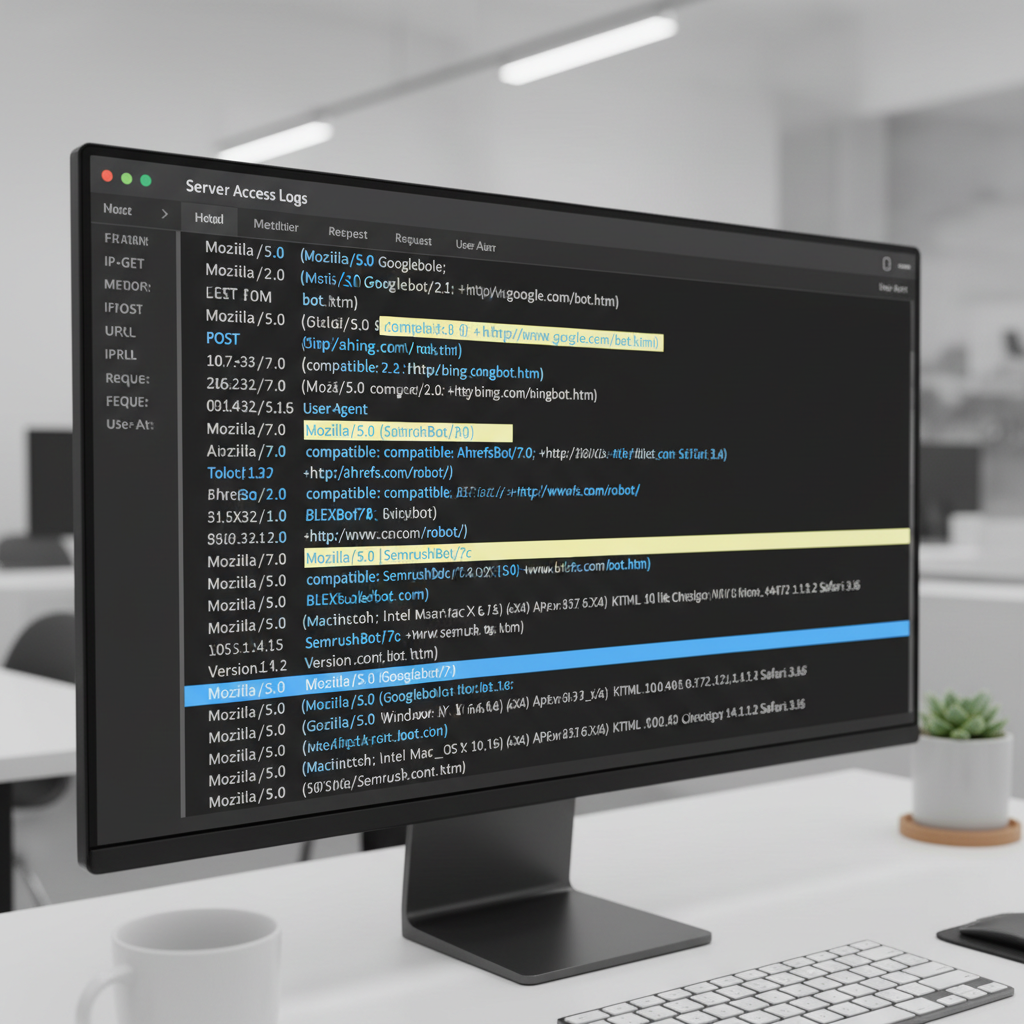
The goal is to prevent unwanted data scraping while still allowing beneficial AI crawlers to access public content. This balance is crucial for both data protection and maintaining visibility. An effective audit provides insights into how your website is perceived and utilized by the broader AI ecosystem.
Steps for identifying active AI bots in server logs
Identifying active AI bots begins with a thorough examination of your website’s server logs. These logs record every request made to your server, including the `User-agent` string, which often reveals the identity of the crawler. Look for `User-agent` strings that explicitly mention AI-related names, such as “GPTBot,” “Bard,” “CCBot” (Common Crawl), or other less obvious indicators.
1. Access Server Logs: Retrieve your web server’s access logs (e.g., Apache, Nginx).
2. Filter by User-agent: Search for common AI bot user-agent strings.
3. Analyze Request Patterns: Look for unusual or excessive requests from specific IPs or user-agents.
4. Cross-reference with Known Bots: Compare identified user-agents against a list of known AI crawlers.
This systematic approach helps you accurately pinpoint which AI entities are interacting with your site.
Analyzing current robots.txt effectiveness against AI crawlers
Once you’ve identified active AI bots, the next step is to evaluate how effectively your current `robots.txt` file is managing their access. Review your `robots.txt` directives to see if specific AI crawlers are explicitly allowed or disallowed. Check for any generic `User-agent: *` rules that might inadvertently grant or restrict access to AI bots you haven’t specifically addressed.
* Review `User-agent` directives: Ensure specific AI bots are addressed.
* Check `Disallow` paths: Verify that sensitive areas are protected.
* Test `robots.txt`: Use online tools to simulate how different bots interpret your file.
An effective `robots.txt` should clearly delineate access permissions for all relevant bots.
Tools and methods for monitoring AI bot activity
Several tools and methods can assist in monitoring AI bot crawl control. Beyond direct server log analysis, many website analytics platforms offer insights into bot traffic. Google Search Console, for example, provides crawl stats, though it primarily focuses on Googlebot. For a broader view, third-party log analysis tools can offer more detailed breakdowns of bot activity, including non-Google AI crawlers.
| Tool/Method | Description | Benefit for AI Crawler Audit |
|---|---|---|
| Server Log Analysis | Directly reviewing web server access logs. | Identifies specific user-agents and access patterns. |
| Google Search Console | Provides crawl stats and indexing information for Googlebot. | Helps understand Google’s interaction with your site. |
| Third-Party Log Analyzers | Specialized software for parsing and visualizing log data. | Offers detailed insights into all bot traffic, including AI. |
| Website Analytics (e.g., Google Analytics) | Tracks user and bot behavior on your site. | Can help identify unusual traffic spikes from bots. |
Regularly utilizing these resources allows for continuous monitoring and rapid response to any unauthorized or undesirable AI crawler activity. For businesses seeking comprehensive oversight of their digital presence, exploring Digital Marketing Services can provide advanced solutions for monitoring and optimizing bot interactions.
Implementing GPTBot robots.txt Rules and Other AI-Specific Directives
Implementing specific GPTBot robots.txt rules and other AI-specific directives is crucial for managing how AI models, particularly those from OpenAI, interact with your website. By explicitly defining access for these crawlers, you can control whether your content is used for training purposes, potentially impacting your intellectual property and data usage. This proactive approach to robots.txt for AI crawlers allows you to tailor your content exposure to align with your business objectives and content monetization strategies. Effectively managing these rules ensures that your digital assets are utilized according to your preferences.
OpenAI’s GPTBot is a prime example of an AI crawler that respects `robots.txt` directives. Therefore, understanding how to configure your `robots.txt` to include or exclude it is a fundamental aspect of modern SEO and content management. This level of control extends beyond just GPTBot to other known AI crawlers, enabling a comprehensive strategy.
Specific directives for GPTBot and other major AI crawlers
To manage GPTBot’s access, you would add a `User-agent: GPTBot` block to your `robots.txt` file. Within this block, you can use `Disallow` to prevent it from crawling certain paths or `Allow` to grant access to specific sections. For example, `Disallow: /blog/private/` would prevent GPTBot from accessing a private blog section. Similarly, other AI crawlers often have their own user-agent strings that you can target.
Here are some examples of `User-agent` directives for known AI crawlers:
* GPTBot (OpenAI): `User-agent: GPTBot`
* Google-Extended (Google’s AI data collection): `User-agent: Google-Extended`
* CCBot (Common Crawl): `User-agent: CCBot`
* Omgimgbot (Various AI and image processing): `User-agent: Omgimgbot`
By targeting these specific user-agents, you gain granular control over which content is accessible to each AI entity.
Strategies for allowing or disallowing specific content for AI training
The decision to allow or disallow content for AI training depends on your content strategy and business model. If your content is freely available and you benefit from increased visibility or potential inclusion in AI-generated summaries, allowing access might be advantageous. Conversely, if your content is proprietary, gated, or intended for specific monetization, disallowing AI crawlers is a prudent step.
Consider these strategies for AI bot crawl control:
1. Full Disallow: Prevent all AI crawlers from accessing your entire site (`User-agent: * Disallow: /`). This is a blunt instrument and might impact search visibility.
2. Partial Disallow: Block specific directories or file types (`User-agent: GPTBot Disallow: /premium-content/`). This is often the most balanced approach.
3. Specific Allowances: Use `Allow` directives within a `Disallow` block to expose only certain public datasets or articles.
4. Noindex Tag: For pages you want to keep out of search results and AI training, consider using the `noindex` meta tag in addition to `robots.txt`.
Impact of AI-specific rules on data privacy and intellectual property
Implementing AI-specific `robots.txt` rules has significant implications for data privacy and intellectual property. By preventing AI crawlers from accessing certain parts of your site, you reduce the risk of your proprietary data being ingested into AI models without your explicit consent. This helps protect your competitive advantage and ensures that your unique content remains under your control. For instance, if you have copyrighted articles or research, blocking AI crawlers can prevent their unauthorized use in training data. This level of control is paramount in the evolving digital landscape.
Analyzing Block AI Crawlers SEO Impact on Content Visibility
The decision to block AI crawlers SEO impact can be a complex one, balancing the desire for content protection with the potential for reduced visibility in an AI-driven search landscape. While restricting AI bots might safeguard proprietary data, it could also limit your content’s exposure in new AI-powered search features or generative AI responses. Understanding this trade-off is crucial for developing an effective robots.txt for AI crawlers strategy that aligns with your overall SEO goals. The impact can vary significantly depending on the nature of your content and your target audience.
It’s important to differentiate between traditional search engine indexing and AI model training. Blocking an AI data scraper might not directly affect your Google search rankings, but it could prevent your content from being cited or summarized by AI tools that draw from broader web data.
Potential benefits and drawbacks of disallowing AI bots
Disallowing AI bots offers several benefits, primarily centered around content protection and control. You can prevent your unique articles, research, or product descriptions from being scraped and used to train competitor AI models. This safeguards your intellectual property and maintains the distinctiveness of your brand voice. Furthermore, it can reduce server load from aggressive crawling.
However, there are significant drawbacks. If AI models become increasingly integrated into search and information retrieval, blocking them entirely might reduce your content’s visibility in these emerging channels. Your content may not appear in AI-generated summaries, answer boxes, or conversational AI responses, potentially limiting your reach to new audiences. This could lead to a decrease in organic traffic from AI-powered search interfaces.
* Benefits:
* Protects proprietary content and intellectual property.
* Reduces server load from excessive crawling.
* Maintains control over content usage.
* Drawbacks:
* Reduced visibility in AI-powered search features.
* Content may not be cited or summarized by generative AI.
* Potential loss of traffic from AI-driven discovery.
How AI crawler restrictions might affect search engine rankings
Currently, blocking AI crawlers like GPTBot is unlikely to directly impact your traditional search engine rankings with Google or other major search engines. Googlebot, the primary crawler for Google Search, operates independently of AI-specific crawlers like Google-Extended or GPTBot. Your core SEO performance, therefore, will still largely depend on how well your site is optimized for traditional search engine algorithms. However, as AI becomes more integrated into search, the lines may blur. If AI-generated summaries or answers become a primary source of information for users, and your content is excluded, it could indirectly affect traffic and, consequently, ranking signals over time.
Balancing content protection with AI-driven content discovery
Achieving a balance between content protection and AI-driven content discovery requires a nuanced approach to AI bot crawl control. Instead of a blanket disallow, consider a more selective strategy. You might choose to:
* Allow public, informational content: Permit AI crawlers to access blog posts, informational articles, and FAQs that you want to be widely discoverable and potentially summarized by AI.
* Disallow proprietary or sensitive content: Block access to gated content, user-generated data, e-commerce product feeds, or any content that gives you a competitive edge.
* Monitor and adjust: Regularly review your `robots.txt` and server logs to see how AI crawlers are interacting with your site and adjust your directives as needed.
This balanced strategy ensures that you protect your most valuable assets while still participating in the evolving landscape of AI-driven information retrieval. It’s about making informed decisions about which parts of your digital presence you want to expose to the AI ecosystem.
Advanced AI Bot Crawl Control Strategies and Best Practices
Implementing advanced AI bot crawl control strategies goes beyond basic `Disallow` directives in `robots.txt`. It involves a comprehensive approach to managing how AI crawlers interact with your website, protecting your content, and optimizing your presence in the AI-driven digital landscape. These best practices ensure that your robots.txt for AI crawlers is not just a barrier but a strategic tool for content distribution and intellectual property management. Employing these methods helps in fine-tuning access permissions and maintaining a robust online presence.
Effective control requires a combination of technical configurations and ongoing monitoring, adapting to the rapidly changing AI ecosystem. This proactive management is key to navigating the complexities of AI data consumption.
Using noindex and nofollow in conjunction with robots.txt for AI
While `robots.txt` tells crawlers where they shouldn’t go, `noindex` and `nofollow` meta tags provide directives at the page or link level. The `noindex` tag, placed in the `
` section of an HTML page, instructs search engines and compliant AI crawlers not to index that specific page. This is particularly useful for pages you want accessible to users but not included in AI training data or search results. The `nofollow` attribute on links tells crawlers not to follow those links, which can help control crawl budget and prevent the spread of “link juice” to undesirable pages.* `noindex`: Prevents a page from being indexed by search engines and AI models.
* `nofollow`: Instructs crawlers not to follow a specific link, useful for user-generated content or external links.
Using these in combination with `robots.txt` offers a layered defense, providing more granular control over content visibility.
Implementing dynamic robots.txt for granular control
For large websites with frequently changing content or complex access requirements, a static `robots.txt` file might not be sufficient. Implementing a dynamic `robots.txt` allows you to generate the file on the fly, based on various parameters such as the requesting user-agent, IP address, or content type. This enables highly granular AI bot crawl control, allowing you to serve different `robots.txt` files to different AI crawlers or even block them based on real-time criteria. This advanced method requires server-side scripting but offers unparalleled flexibility in managing bot interactions.
For instance, you could:
* Serve a more restrictive `robots.txt` to known aggressive AI scrapers.
* Provide a more open `robots.txt` to beneficial research-oriented AI projects.
* Dynamically update disallow rules based on content freshness or subscription status.
Regular auditing and updates for evolving AI crawler landscape
The AI landscape is constantly evolving, with new crawlers emerging and existing ones adapting their behavior. Therefore, regular auditing and updates to your `robots.txt` file are not just a best practice but a necessity. Conduct quarterly or bi-annual AI crawler access audit reviews of your server logs to identify new AI user-agents. Stay informed about major AI developments and the introduction of new AI bots that might interact with your website. Adjust your `robots.txt` directives accordingly to maintain optimal robots.txt for AI crawlers management. This continuous process ensures your content protection and visibility strategies remain effective in the face of technological change.
What is the primary purpose of robots.txt for AI crawlers?
The primary purpose of robots.txt for AI crawlers is to provide directives on which parts of a website AI bots are permitted or disallowed to access. This helps website owners control data exposure, protect intellectual property, and manage server load from automated scraping activities.
Can I completely block all AI crawlers from my website?
Yes, you can attempt to block all AI crawlers by using a generic `User-agent: *` with a `Disallow: /` directive in your robots.txt. However, not all bots strictly adhere to these rules, and some may bypass them. Additionally, this might affect your visibility in AI-powered search features.
Does blocking GPTBot affect my Google search rankings?
Blocking GPTBot, OpenAI’s crawler, is currently not expected to directly impact your traditional Google search rankings. Googlebot, which indexes for Google Search, operates separately. However, it might prevent your content from being used in OpenAI’s AI models, potentially affecting visibility in AI-generated content or summaries.
What is an AI crawler access audit?
An AI crawler access audit involves reviewing your website’s server logs and robots.txt file to identify which AI bots are accessing your site, what content they are crawling, and how effectively your current directives are managing their access. This helps in refining your AI bot crawl control strategy.
Should I use `noindex` tags in addition to robots.txt for AI crawlers?
Yes, using `noindex` tags in conjunction with robots.txt provides a more robust content control strategy. While robots.txt suggests to crawlers where not to go, `noindex` explicitly tells compliant bots not to include a page in their index, even if they crawl it. This offers layered protection.
How often should I update my robots.txt for AI crawlers?
It is recommended to regularly review and update your robots.txt for AI crawlers, ideally on a quarterly or bi-annual basis. The AI landscape is rapidly evolving, with new bots and technologies emerging. Regular audits ensure your directives remain effective and aligned with your content strategy.
Navigating the complex landscape of AI crawlers requires a strategic and informed approach to your `robots.txt` file. By understanding how these bots operate and implementing precise directives, website owners can effectively manage their digital footprint. Proactive AI crawler access audit procedures are vital for identifying new bots and adapting your strategy. Implementing specific GPTBot robots.txt rules and other AI-specific directives allows for granular control over content exposure. While considering the block AI crawlers SEO impact, a balanced approach can protect intellectual property without sacrificing essential visibility. Ultimately, effective AI bot crawl control ensures your content is utilized according to your preferences in an increasingly AI-driven world.
* Regularly audit server logs to identify new AI crawlers.
* Implement specific `User-agent` directives for known AI bots like GPTBot.
* Balance content protection with potential AI-driven discovery.
* Combine `robots.txt` with `noindex` tags for layered control.
* Stay informed about evolving AI technologies and update directives accordingly.
By embracing these best practices, you empower your website to thrive in the age of artificial intelligence, ensuring your content is both protected and strategically visible.